Open the presentation from the “Presentations” list and go to the “Analytics” tab. The numbers come from the published page — both the slides and the website at the same link.
On every plan
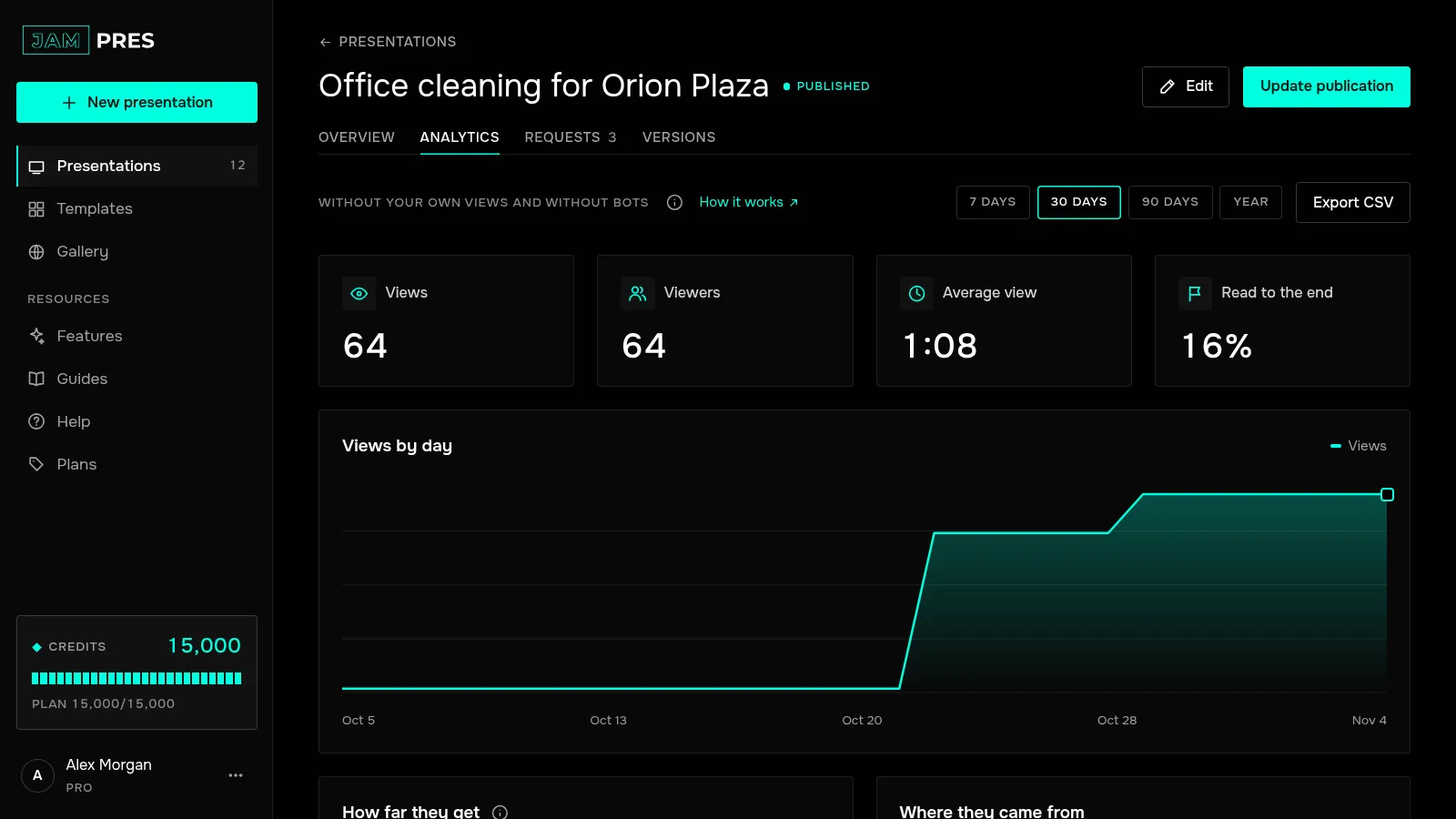
- “Views” — how many times the publication was opened.
- “Views by day” — a chart for the selected period. Hover over a day to see its number.
On Free you can pick “7 days” and “30 days”.
From the Base plan
- “Viewers” — how many different people opened the page. Viewers are told apart within a day: the same person tomorrow counts as a new viewer.
- “Average view” — how long people watched on average. Time in a hidden tab and idle time over five minutes are left out.
- “Read to the end” — the share of views that reached the last slide.
- “How far they get” and “How far they scroll the website” — for each slide and section: what share of viewers reached it, how long they spent on it, and where people leave most often (marked with an icon).
- “Where they came from”, “Devices” and “Countries”. Visits without a source go to “Direct” — links from messengers and email apps often arrive that way.
- “Who viewed” — viewers who entered their email at the publication's gate themselves.
Next to the numbers you see the change against the previous period of the same length, as long as that period fits into your plan's history. How much history each plan keeps — see How long analytics is kept.
What isn't counted
Your own views: if you or your co-authors are signed in to the dashboard in that browser, the visit doesn't count. Bots and link previews in messengers don't count either. More in Why there are fewer views than opens.
Who sees analytics
The presentation's owner and co-authors with “Can edit”. The owner's plan decides what is shown: a co-author sees exactly what the owner sees.
Analytics works without cookies and stores nothing in the viewer's browser. We don't keep IP addresses and don't identify people — except those who entered their email themselves.