Onboarding
How to make a presentation, from text to a link and requests.
- 1
How do I create a presentation?
Paste your text or describe the topic, then pick a purpose and tone. No sign-up needed.
More in Help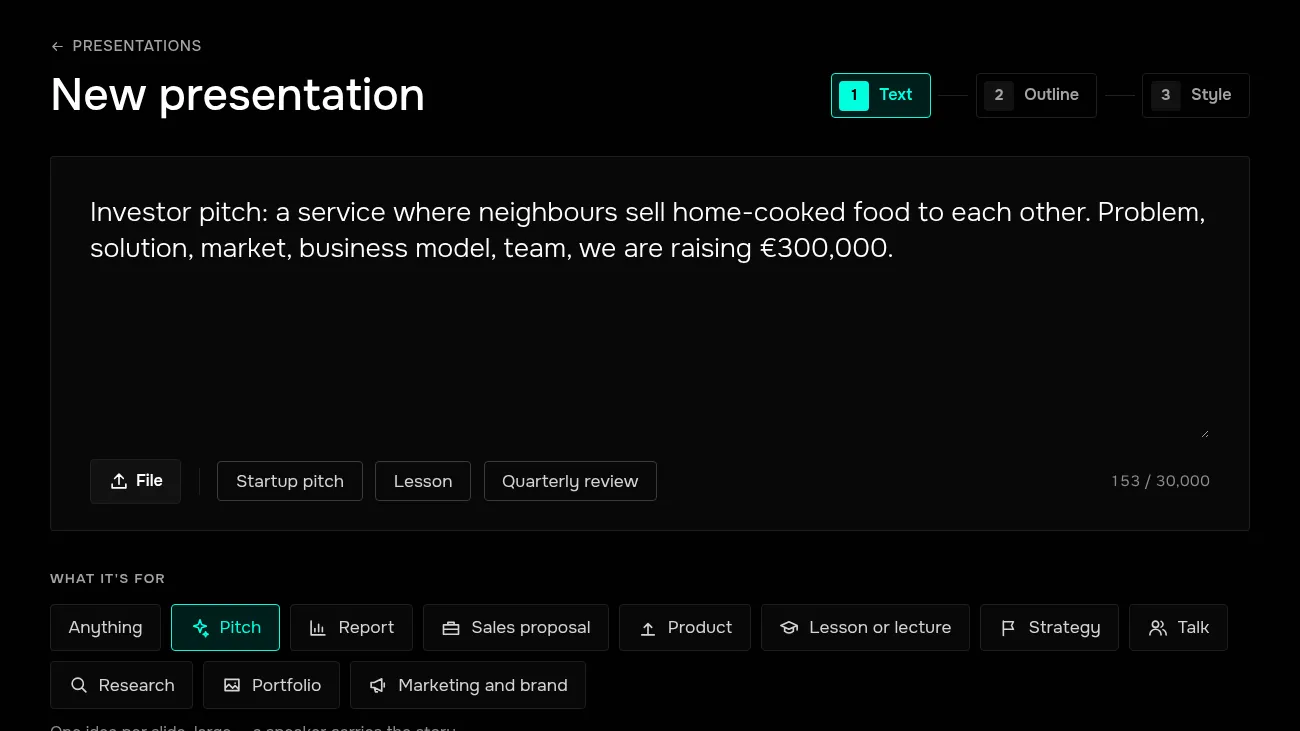
- 2
How do I fix the outline?
Before building, you see what each slide will say. Rewrite items, reorder them, remove what you don't need.
More in Help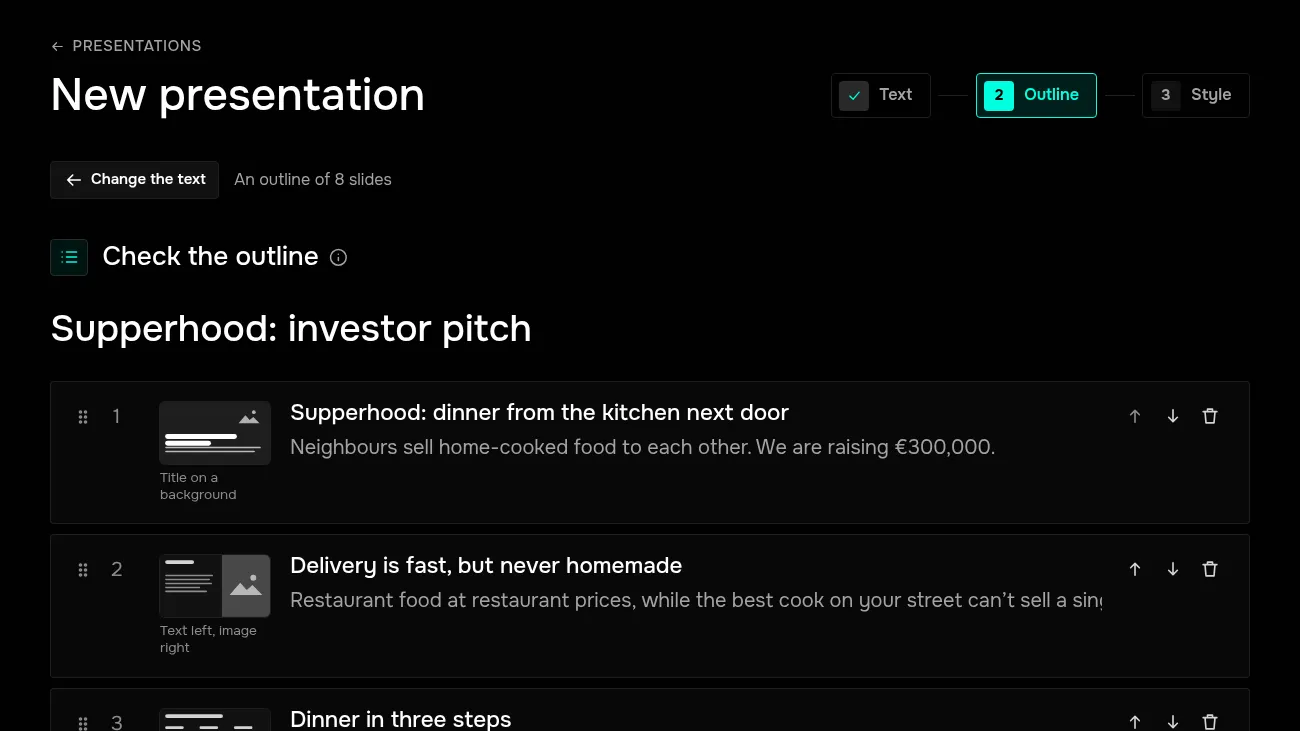
- 3
How do I choose a template?
Templates are shown with your title already in them. You can switch later in the editor.
More in Help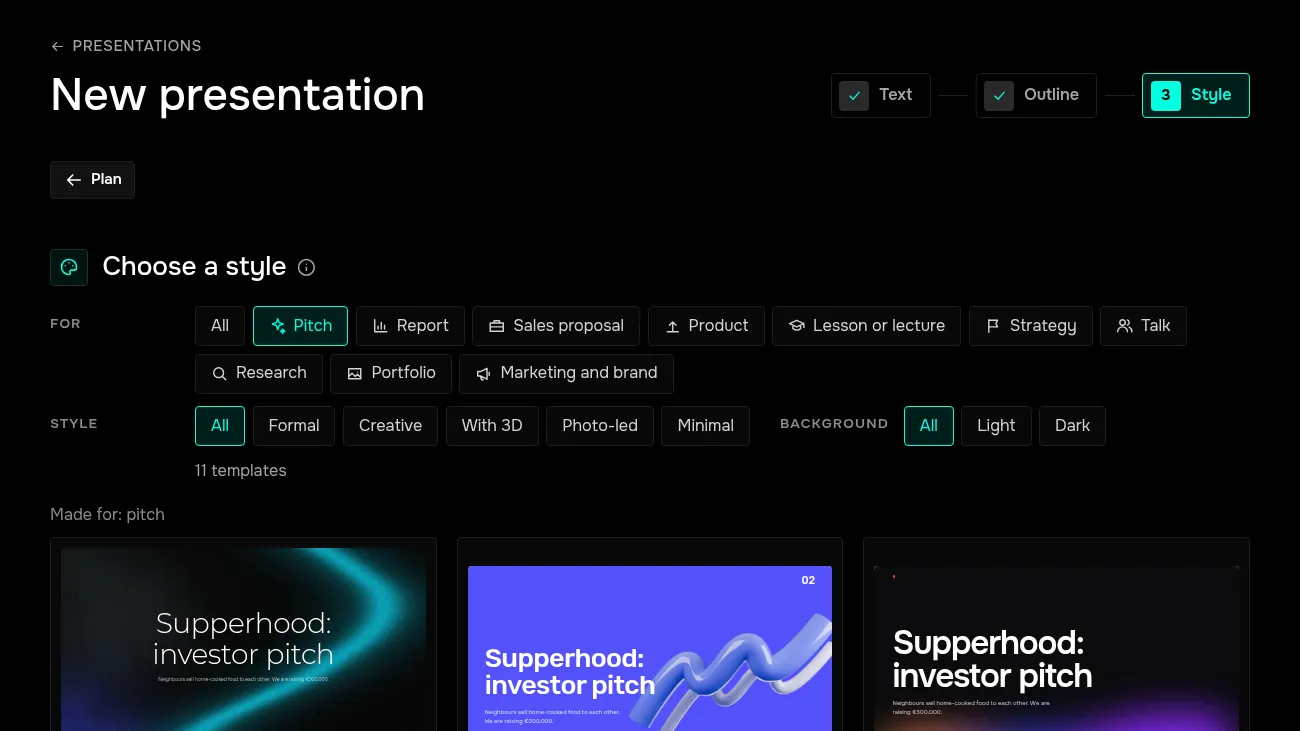
- 4
How do I edit a slide?
Click the text and type. Slide and block settings are on the right, new blocks in the bar below.
More in Help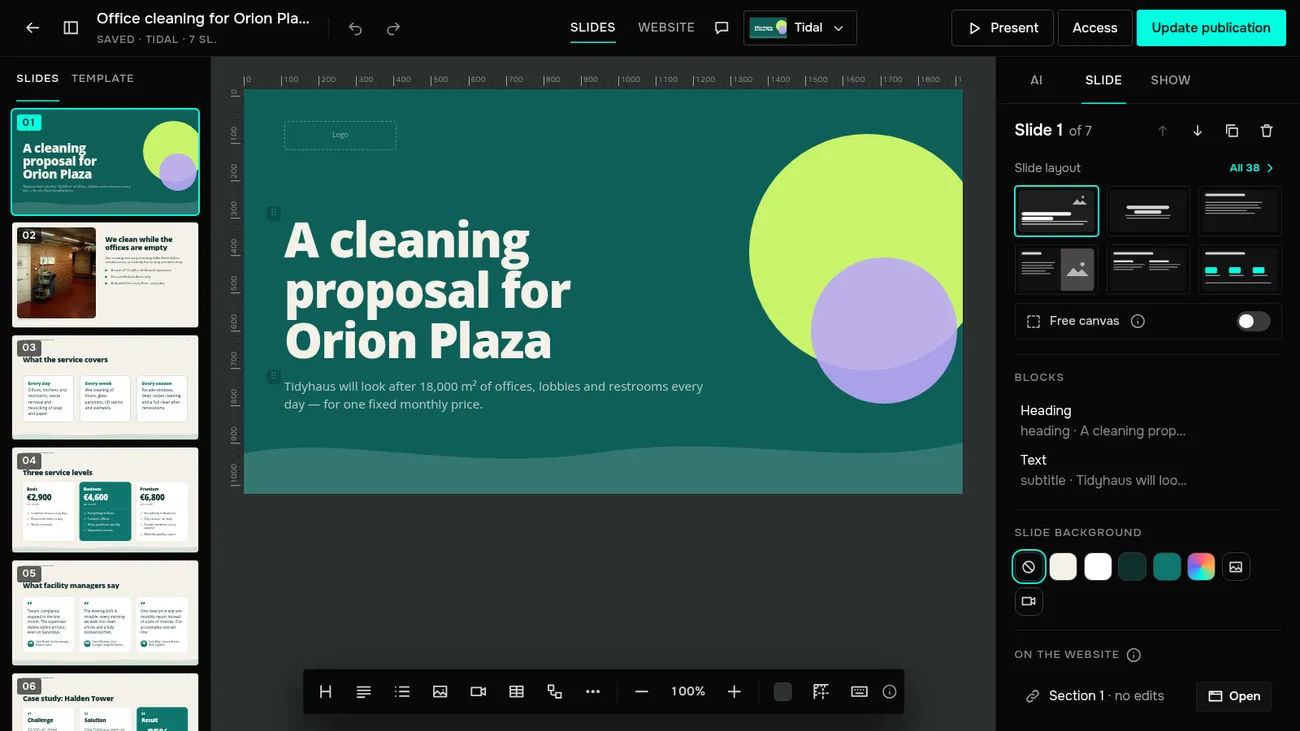
- 5
How do I edit with AI?
The AI tab on the right: ask for edits across the whole presentation, or rewrite, shorten and translate a slide.
More in Help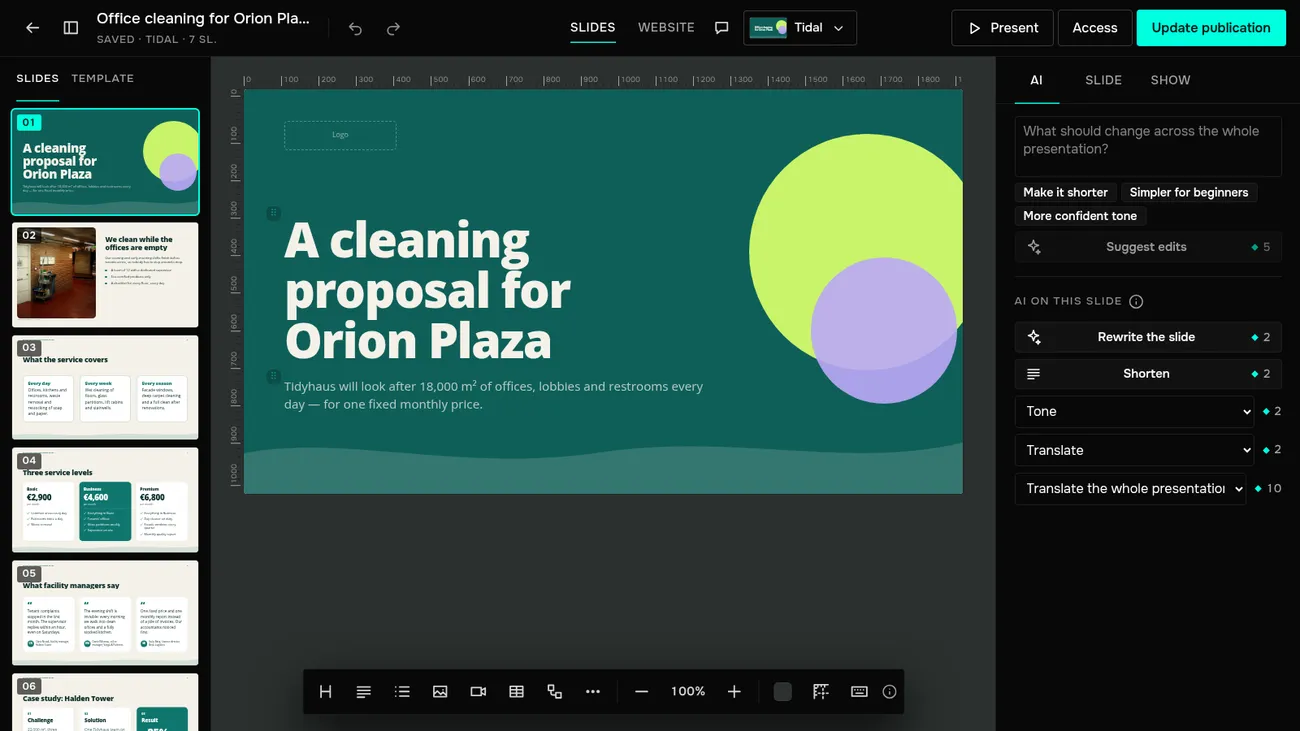
- 6
How do I make an image with AI?
Open the Image window, go to the AI tab and describe what to draw.
More in Help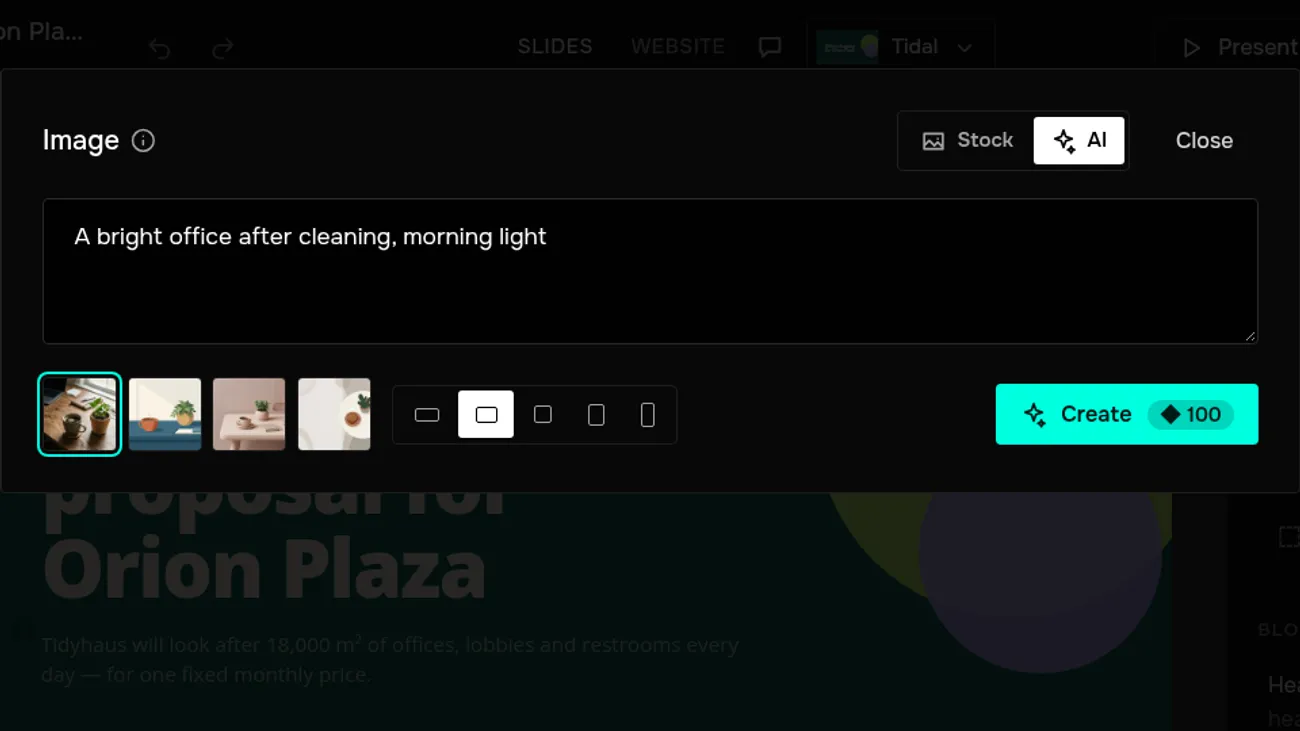
- 7
How do I add a request form?
Add a Form block to the slide and set up its fields on the right. Viewers fill it in right on the slide.
More in Help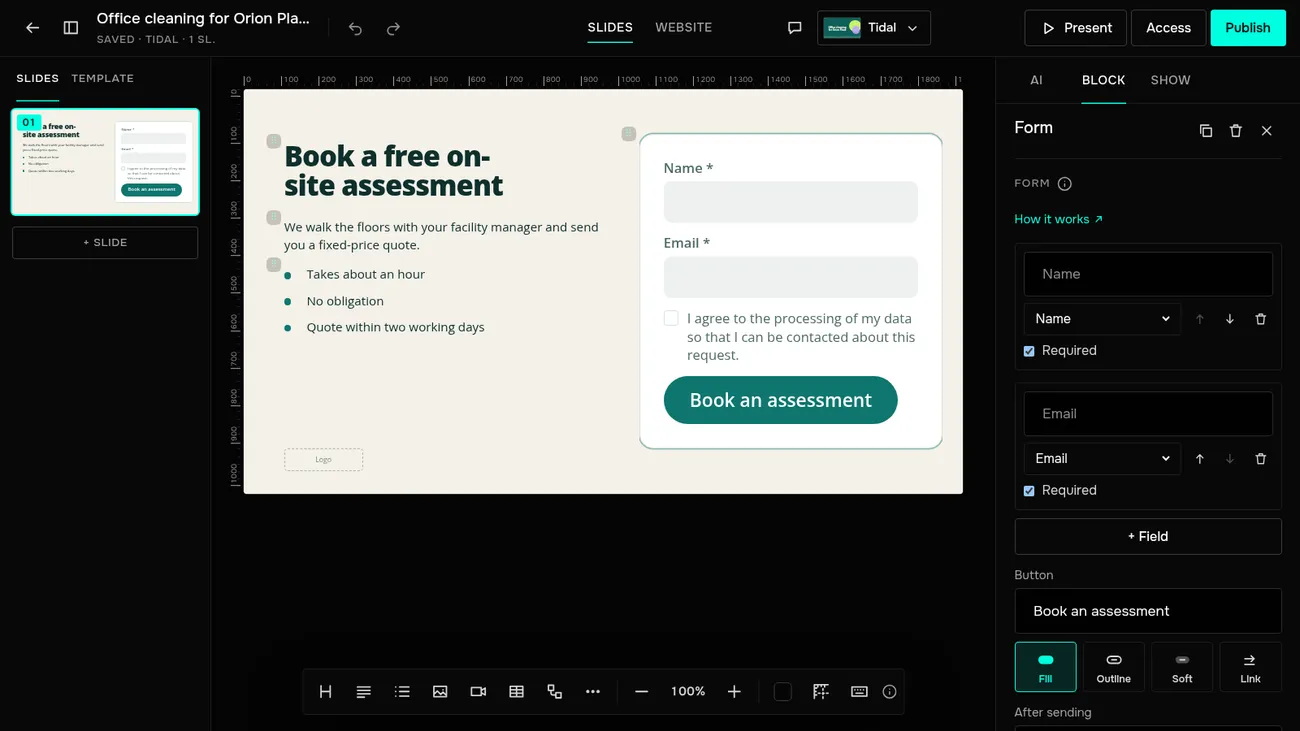
- 8
How do I turn a presentation into a website?
Switch the editor to the Website view: your slides are already a page. You can edit sections separately from the slides.
More in Help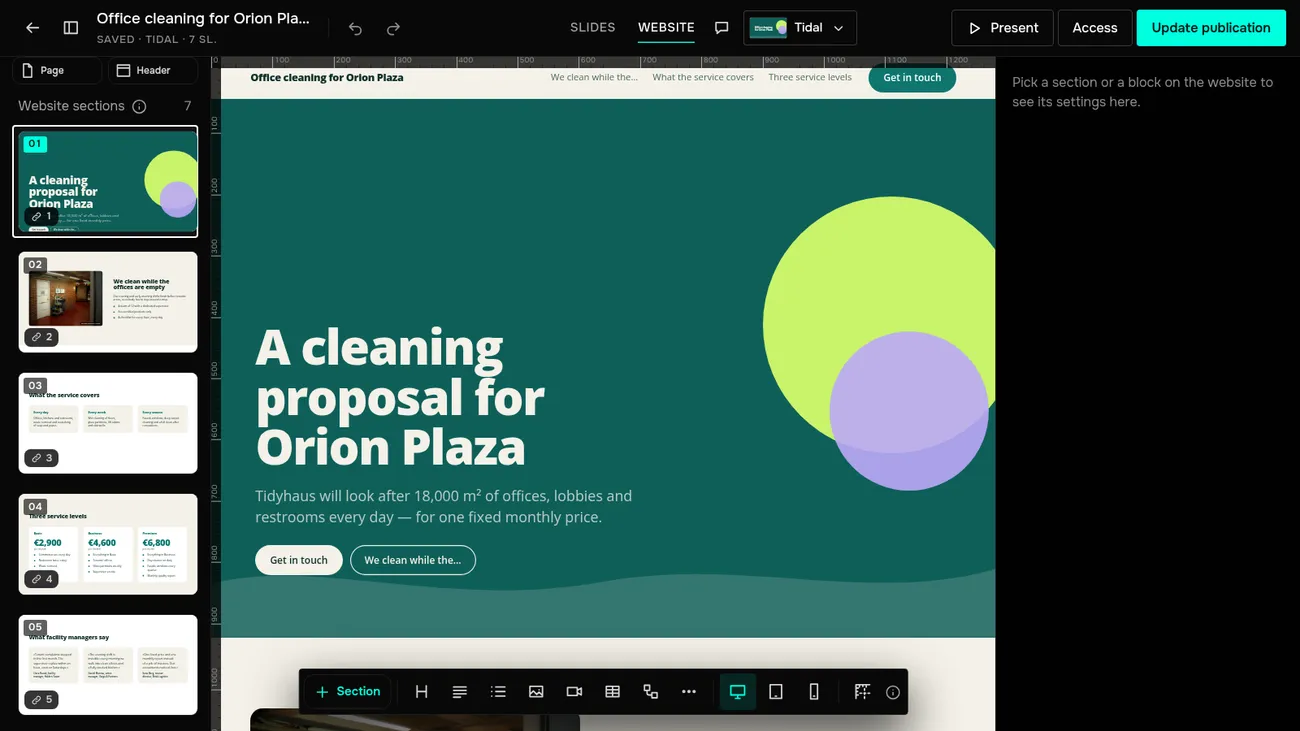
- 9
How do I share a presentation?
Click Publish and send the link. Viewers open it without signing in, as slides or as a website.
More in Help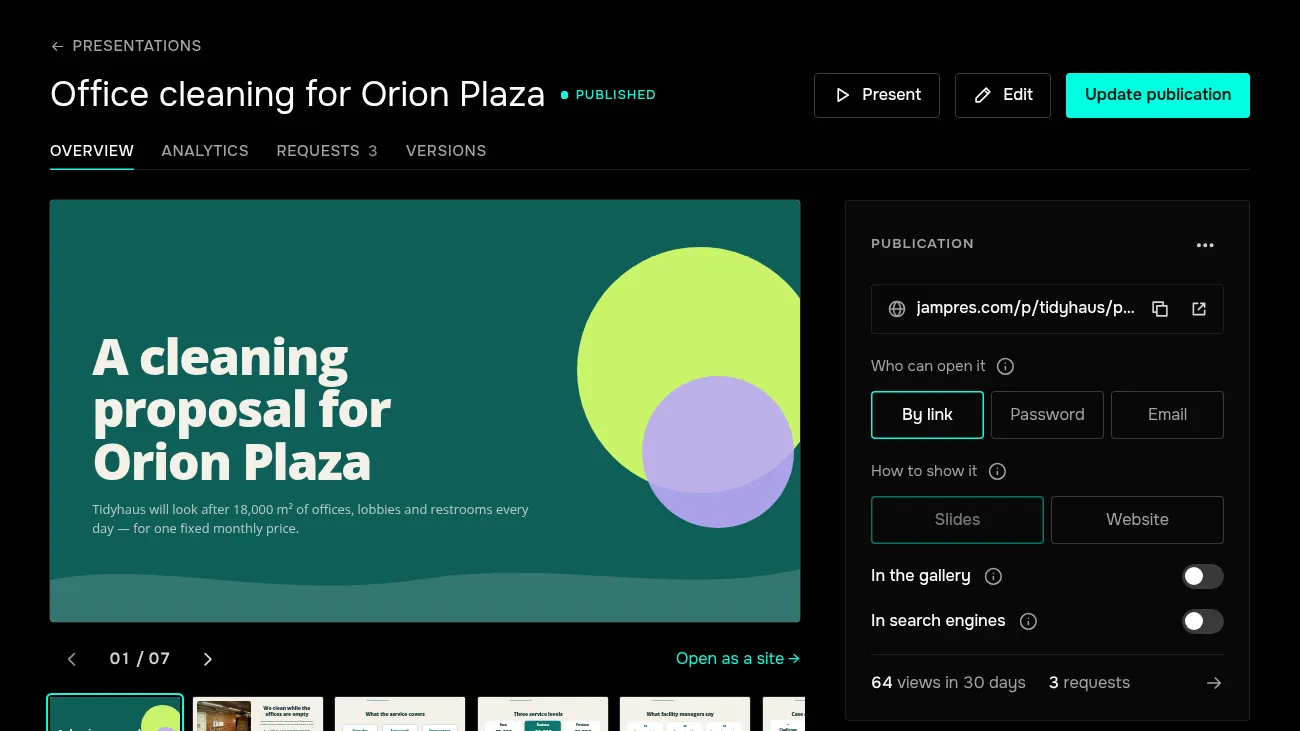
- 10
How do I download a PDF or PowerPoint?
The Download panel on the presentation page: PowerPoint or PDF.
More in Help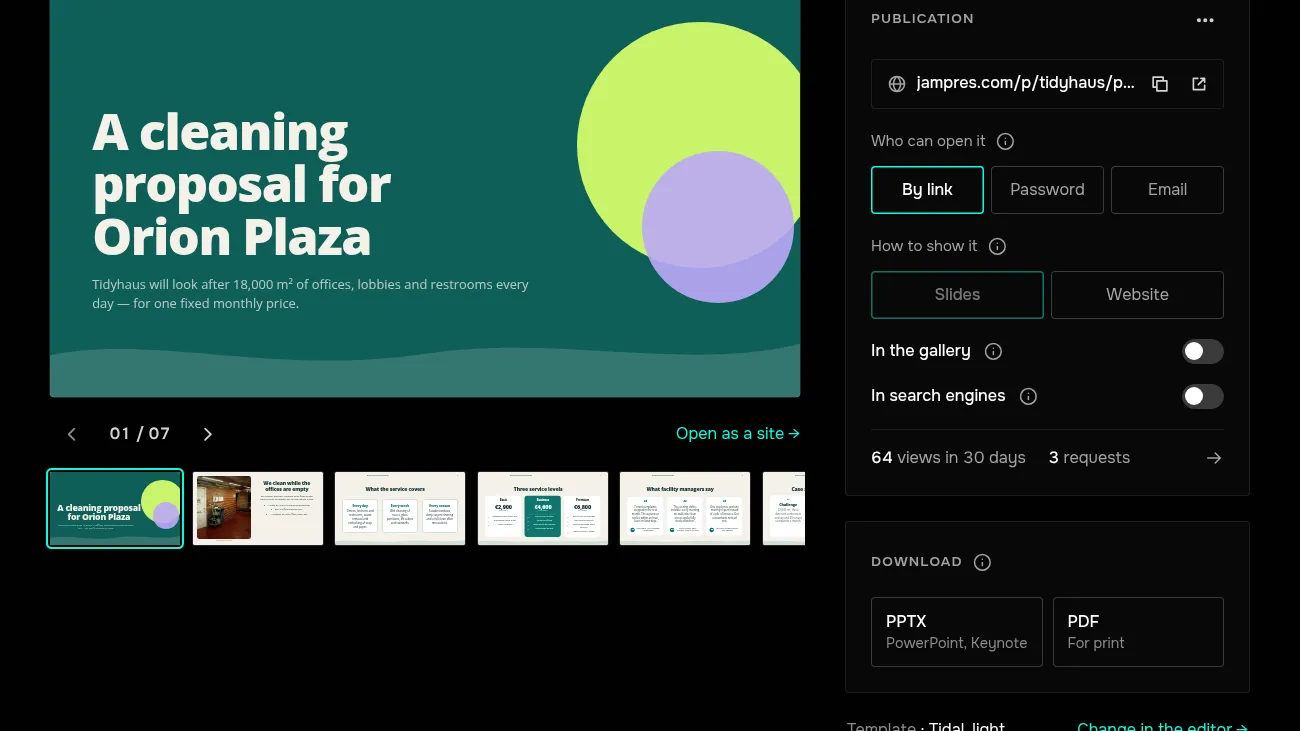
- 11
Where do I see requests?
The Requests tab of the presentation: names, contacts, time and consent. You can export the list to CSV.
More in Help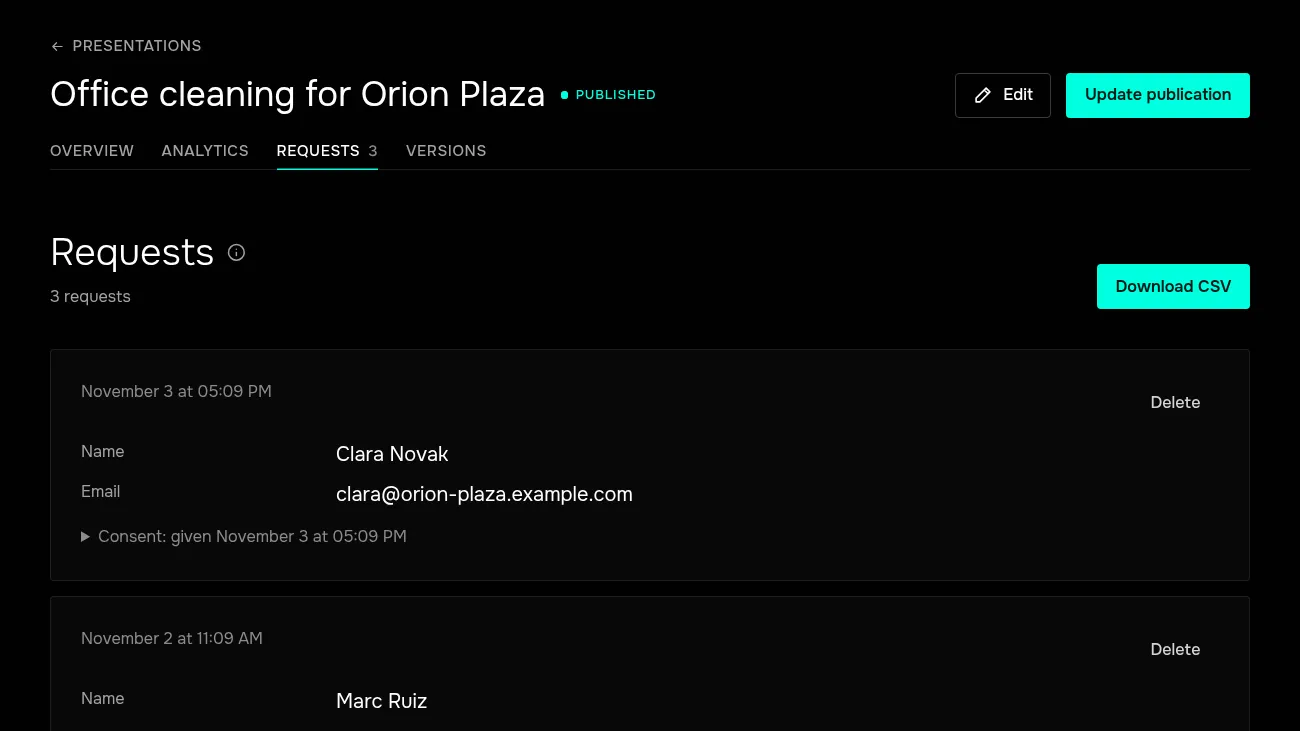
- 12
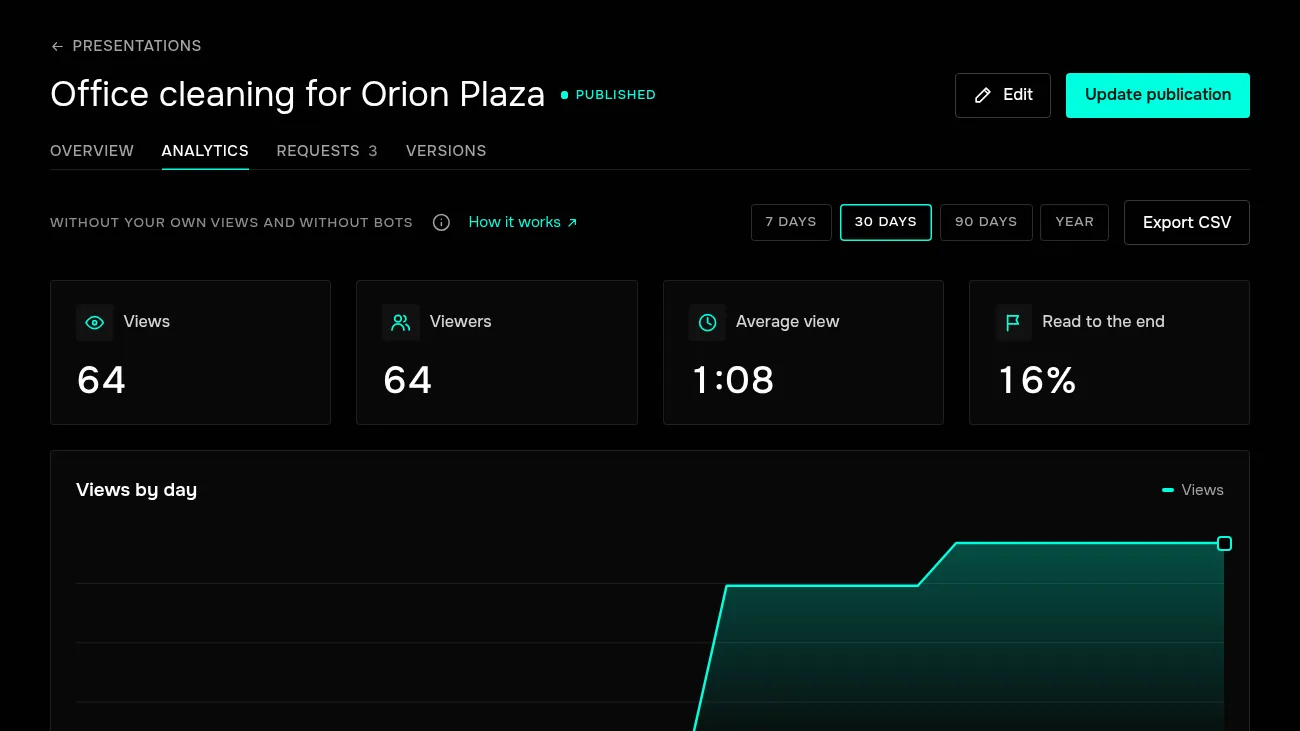
What does analytics show?
The Analytics tab: views and viewers, average time, how many reached the end.
More in Help