A presentation takes three steps: text, outline and style. You can start in your dashboard with “New presentation” in the left panel, or without signing in, from the field on the home page.
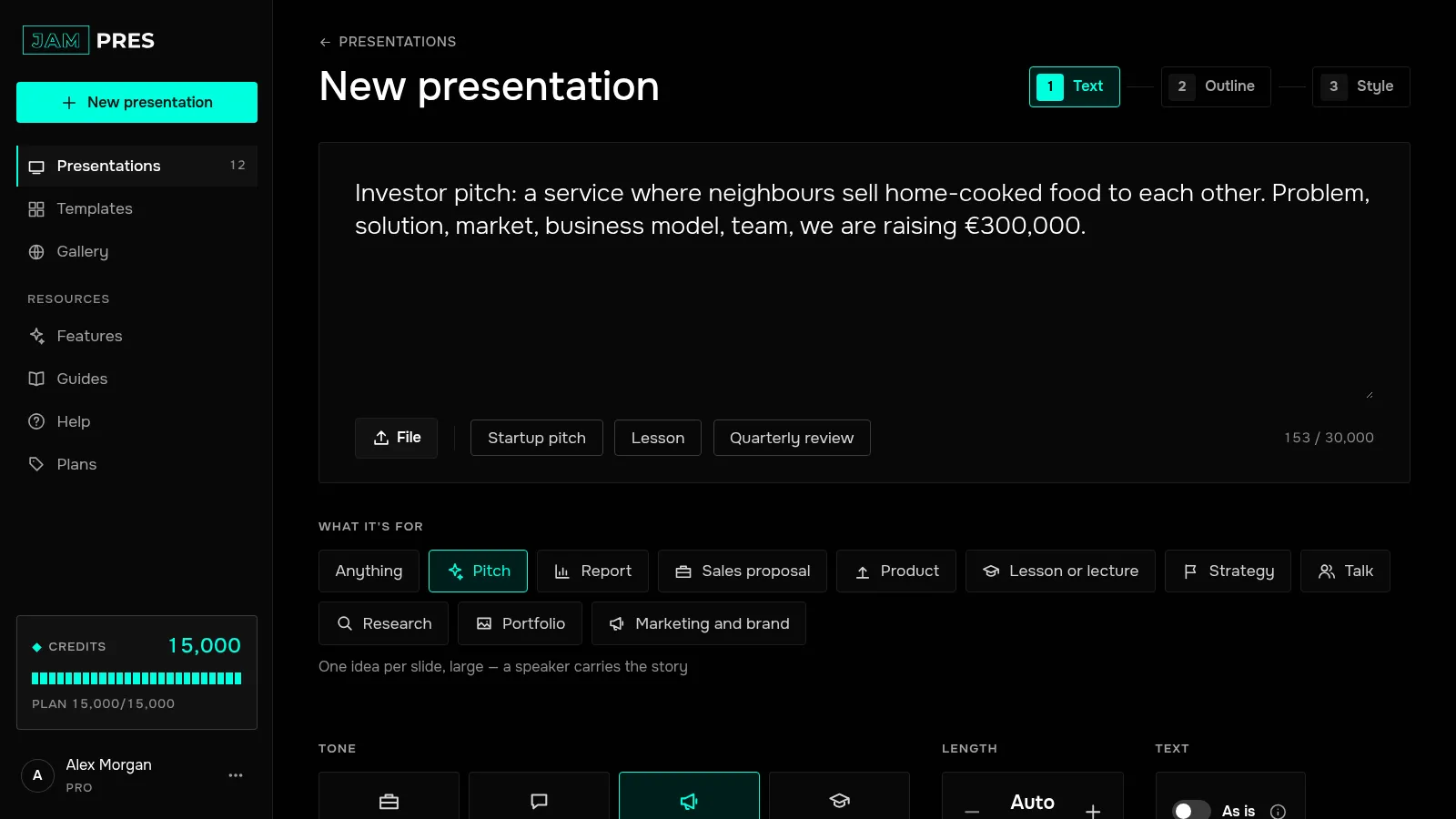
Paste text or describe a topic
Notes, an article, a report or a couple of sentences about the topic all work — up to 30,000 characters. The slides come out in the language of your text.
Below the field are optional settings. “What it's for”: a pitch, a report, a lesson and more — it shapes the storyline and how much text goes on each slide. “Tone” and “Length”: “Auto” or a set number of slides. Press “Build outline”.
Check the outline
You get a list of slides with a title, a gist and a layout for each. Fix the wording, reorder or delete what you don't need, and press “Next: style”. Details are in Editing the outline.
Choose a style
Templates are shown as covers with your title; the ones that suit the purpose you picked come first. Press “Build the slides” — the price in credits is on the button, and what will be left is shown below it. See what credits are.

Wait for the slides
Slides appear one by one. Once they are all ready, a second model checks them against your text and fixes mismatches. How many spots were fixed, and which, is shown above the slides.
Open or publish
“Open” takes you to the presentation page, and “Edit” there opens the editor. “Publish” gives you a link to share right away.
Without signing in, the build button reads “Create presentation” and no credits are needed. To publish such a presentation, first save it to your dashboard.