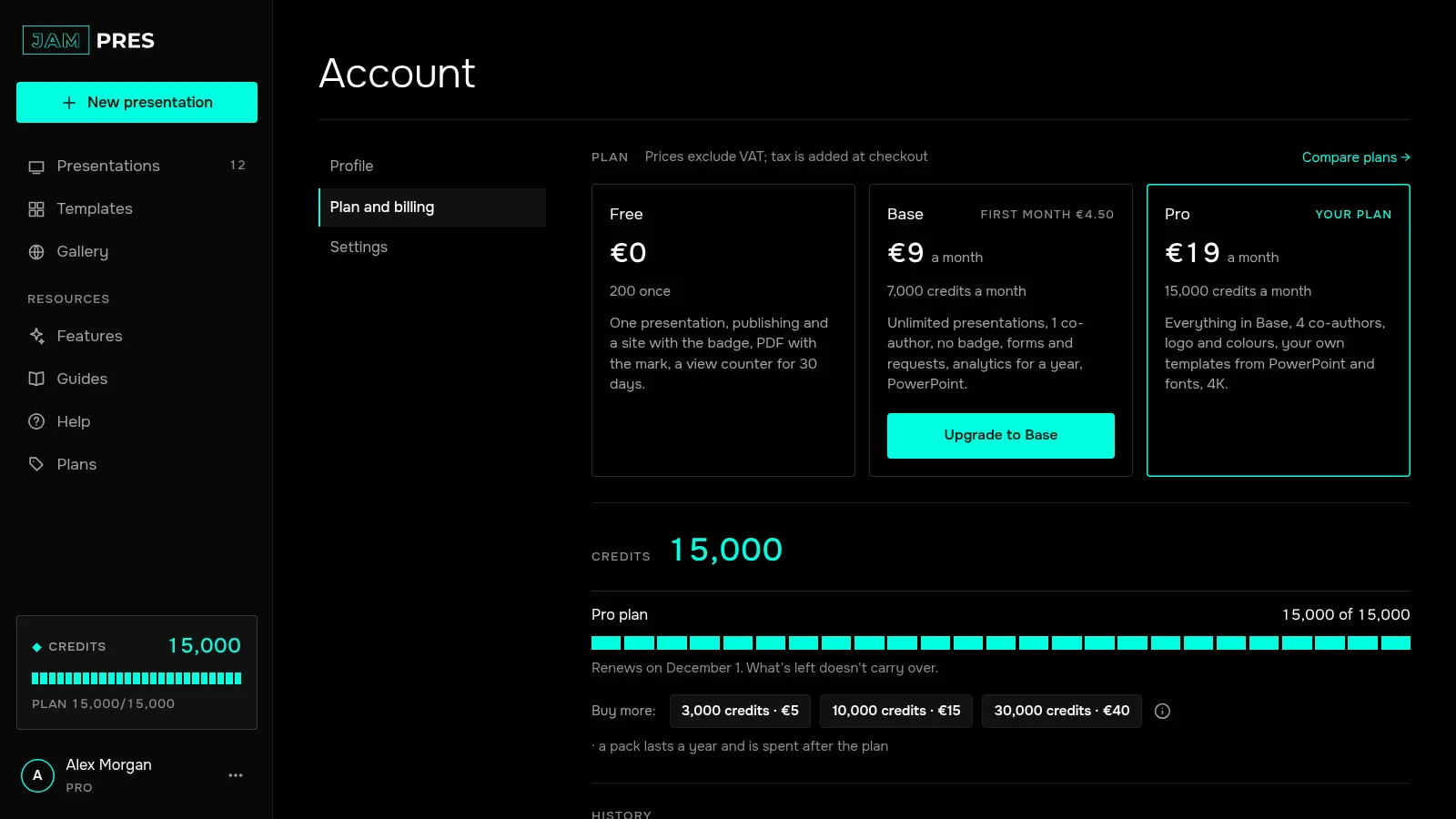
A credit is the unit you pay with for actions where a model does the work. Each action has a fixed price, shown on its button before you run it.
What actions cost
| Action | Credits |
|---|---|
| Presentation from text or “as is” | 50 |
| AI image for a slide | 100 |
| AI slide background, 2K | 150 |
| Rebuild a slide | 2 |
| Rewrite, shorten, change the tone of or translate a block | 1 |
| Translate a presentation — per batch of up to 30 fragments | 5 |
| Assistant: edits across the presentation, new slides included | 5 up to 15 slides, 10 for 16 to 30 |
| Markup of a PowerPoint template | 20 |
The outline and any rebuilds of it are included in the price of the presentation. Everything that doesn't involve a model is free: editing, changing the template, stock images, publishing, views. Your first presentation made without signing in costs no credits either.
How many credits a plan includes
| Plan | Credits |
|---|---|
| Free | 200 once |
| Base | 7,000 a month |
| Pro | 15,000 a month |
On Free that's enough for a presentation, an image and edits. Enterprise gets credits by contract. Plan prices are on the pricing page.
When they renew and expire
- On paid plans, credits renew once a month, on your billing date. What's left doesn't carry over.
- On Free, credits come once and don't renew. There are no new free credits after a subscription ends.
- Running short? On a paid plan, buy a credit pack. It lasts a year from purchase and is spent after your plan credits.
- If an action fails — say, the model doesn't respond — the credits come back in full.
- A co-author who runs AI in someone else's presentation spends their own credits.
Where to see your balance
In the dashboard it's the “Credits” block in the left panel; in the editor, the counter in the header. Click it to see prices and the “Spending history →” link. Every charge and purchase is in “Account” → “Plan and billing”, under “History”.