Consent is part of a form, and forms work from the Base plan. To add one, see adding a form to a slide.
What viewers see
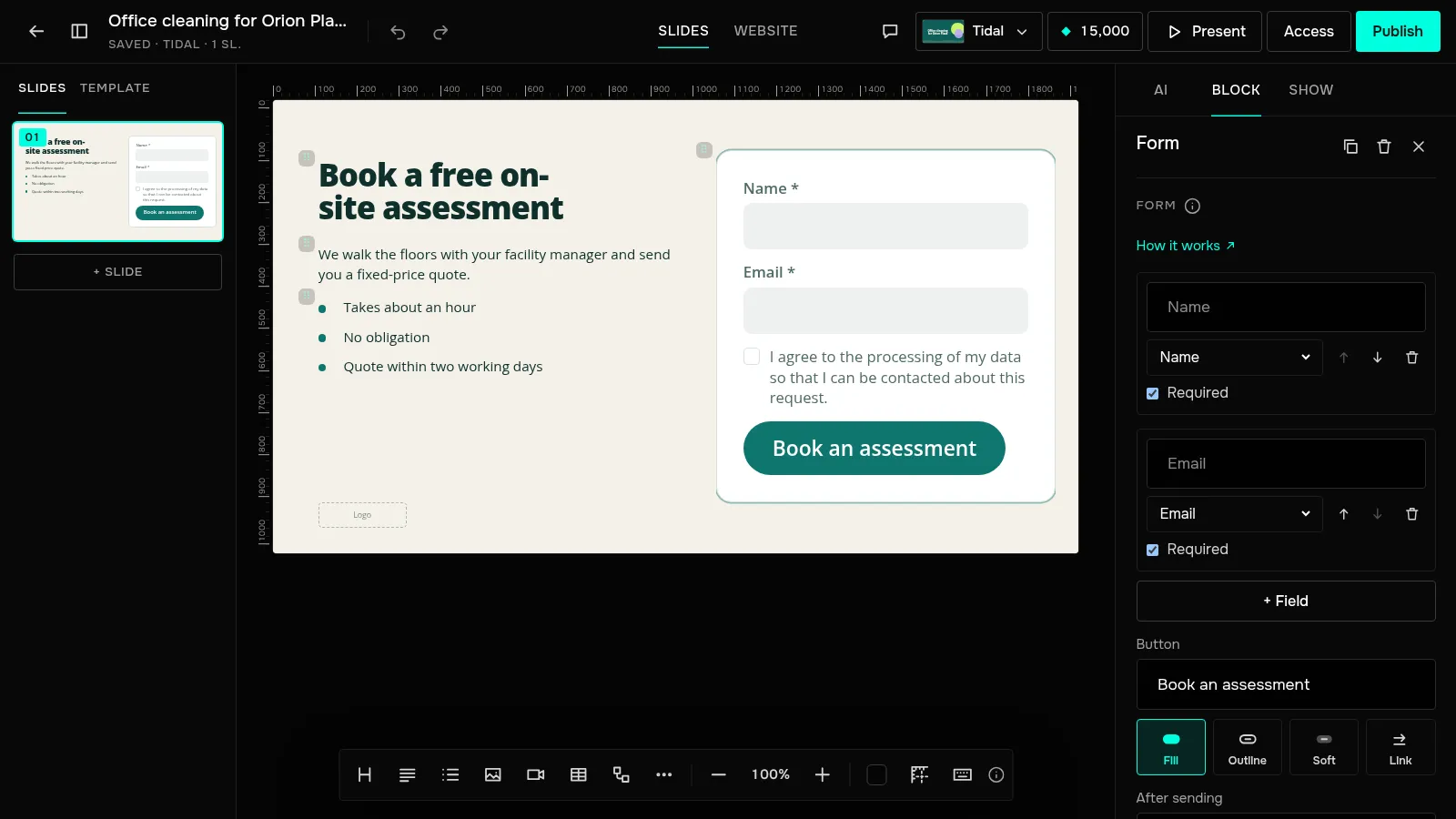
Under the form fields there's a consent checkbox, unticked by default. The form won't send until the person ticks it. The default text is “I agree to the processing of my data so that I can be contacted about this request.” It's in the presentation's language.
How to change the text
Select the form in the editor — the “Form” panel has a “Consent text” field. Say who collects the data and why: under the terms of use you identify yourself in the notice people see with the form. Clearing the field brings back the default text. Viewers see the new text after “Update publication”.
Newsletter — a separate checkbox
If you want to send people news, turn on “Newsletter consent checkbox”. The form gets a second checkbox, also unticked, with the text “I'd like to receive news and offers.” — you can change it. The request goes through without this checkbox, and the request email and the list show whether the person agreed to the newsletter.
What is kept with each request
- the consent text — exactly as the person saw it;
- the time consent was given;
- the newsletter checkbox text and the answer, yes or no;
- the form version and the publication version.
The form version goes up when you change the fields, the consent text or the newsletter text. All of this is on the “Requests” tab — expand the “Consent” line under a request — and in the CSV export.
Who is responsible for the data
You are responsible for the data from your forms: you are the controller, and JamPres processes it on your behalf and stores it in the EU. The data processing agreement is the annex to the terms of use. If someone asks you to delete their data, find their request and click “Delete” — the presentation's owner can do this.
Don't use forms to collect passwords, bank card or ID numbers, or health data: the terms of use forbid it.