Open your profile
In the dashboard, click your name in the left panel to open “Account” on the “Profile” page.
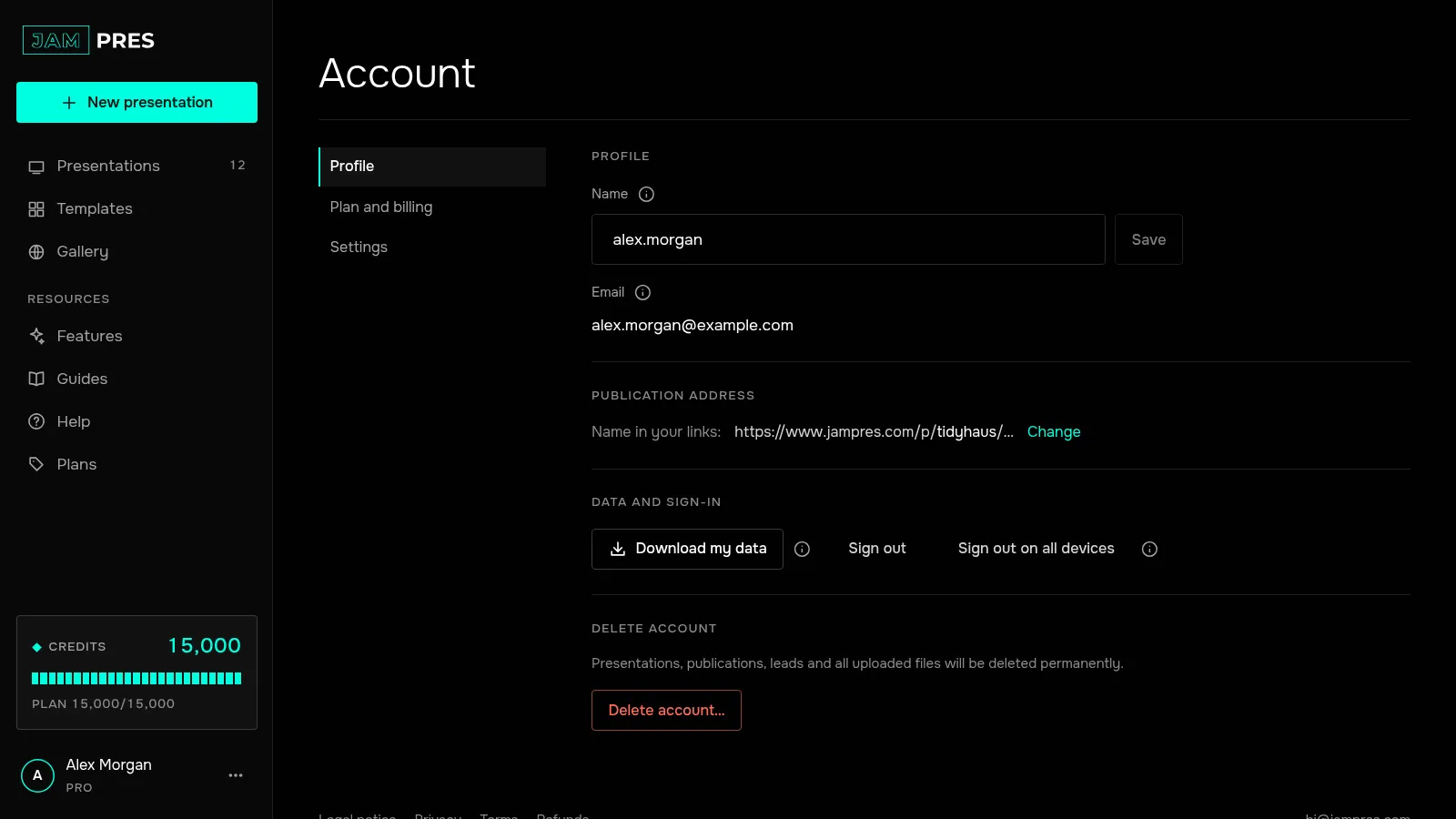
Download the file
In the “Data and sign-in” section, click “Download my data”. Your browser saves a file named like jampres-publication-address-date.json. With many presentations and leads the download takes a little longer — wait until it finishes.
The download is free, works on every plan including Free, and you can repeat it as often as you like.
Check what's inside
- your profile, email language and email settings, the account's plan;
- presentations in full — the documents of the slides and the site;
- publications: addresses, access, versions;
- leads from forms with the consent text and when it was given, poll results;
- your own templates and fonts;
- who you invited to your presentations, where you were invited, your comments;
- subscriptions, credit packs and credit spending;
- browser error reports from the last 30 days.
Images and font files are included as links, not as the files themselves.
If you need another format
The leads of one presentation are easier to open in a spreadsheet — see exporting leads to CSV. You download a presentation as a file on its page: PDF on any plan, PowerPoint from the Base plan.
Planning to delete your account? Download the file first: once the account is deleted, the data can't be restored.
Related
Was this article helpful?